
Logitech Cool Gear For Back To School
September 16, 2010 by Laurie
Filed under Featured, Product Reviews, Uncategorized

Things have certainly changed since I went away to college. I can remember all of the stuff I had to bring along to move into my dorm. When I am out shopping these days, I see all sorts of useful stuff for the college kids today. They have compact versions of everything to make the most out of what little space you have in those dorm rooms.
I am a gadget girl by nature, and I love to explore all the cool things. I also like having things small and portable. I tend to do a lot of travel and I have to condense my technology related gadgetry into a carry on. When I went to school with my radio/cd player (remember those?), it was this huge thing with a plug attached to it, and it had the option of running on D size batteries, which never lasted more than an hour it seemed.
Today, things are quite different. Cd’s are becoming something of the past and MP3 players and Ipods are taking over the scene. All this talk is making me feel old, but even I am enjoying the newest technology when it comes to listening to music, working on the computer, or being involved with social media.
Logitech has some really great back to school products or products for anyone that can give you high quality technology that is small and compact, yet delivers great results. I am in love with their newest rechargeable speaker system for my ITouch, and it is perfect for a college dorm room as well. Occasionally when no one is looking, I like to crank up my music and dance while cleaning, but the ITouch has limited sound capability without the use of speakers.
I was sent the Logitech Rechargeable Speaker S715i ($149.99) and my first question was how good could the sound possibly be out of these small portable speakers? I must have been living under a rock because the sound is amazing! One of the greatest features is the fact that they are rechargeable, which means you can move them around the house, or out in the hallway in your dorm, or to the park, or anywhere you want to go without relying on a place to plug them in. I sometimes take them into the bathroom, put on some zen like music and soak in the tub. You can take these to a football game and do a little tailgating too! They even have a remote so you can forward on to your next song without ever leaving your chair.

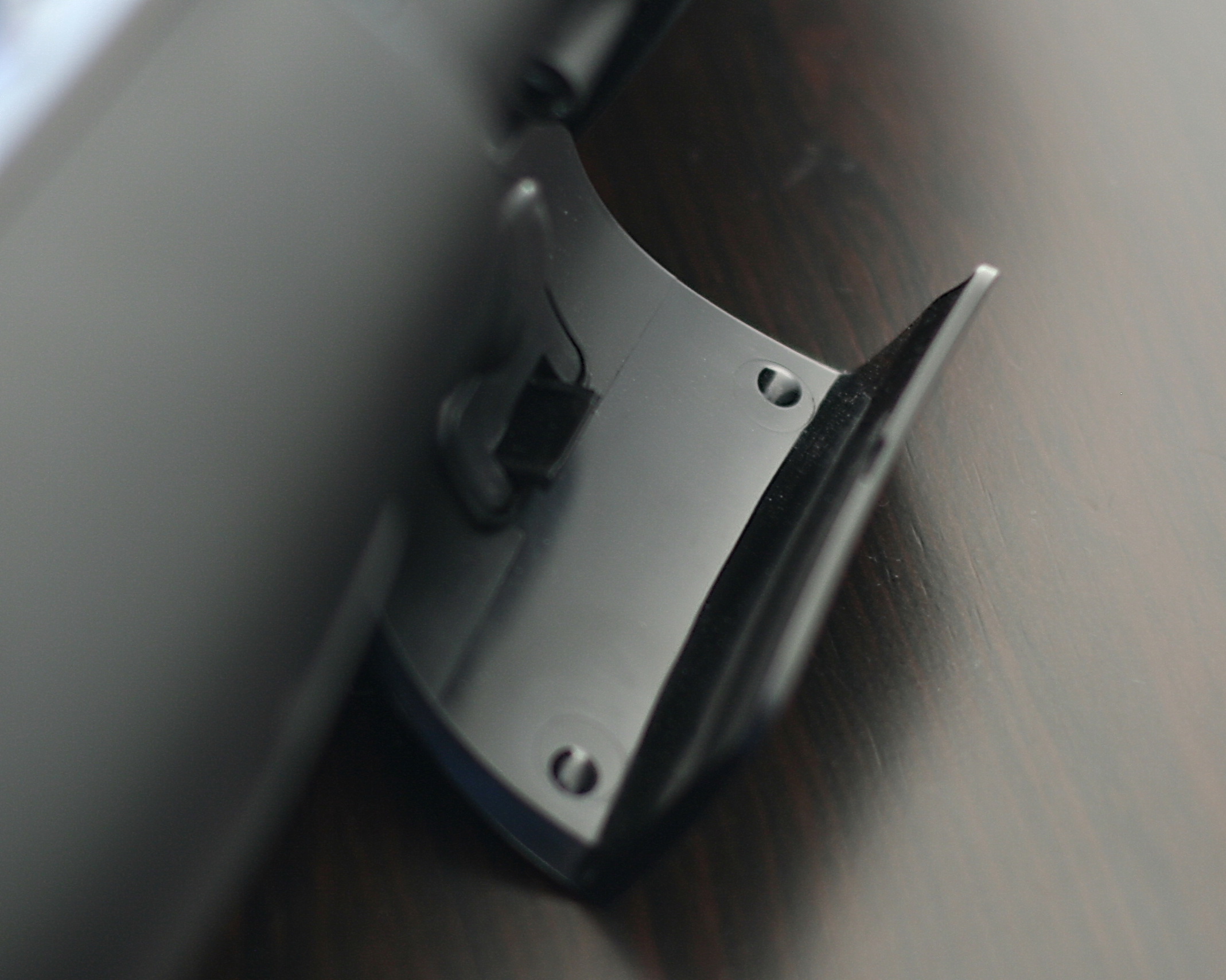
The speakers were easy to use straight out of the box, and easy to set up with a snap in position stand on the back of the speakers.

Rechargeable Speaker S715i Features
-Eight-hour rechargeable battery*
* Actual battery life will vary with use, settings and environmental conditions. Rechargeable batteries have a limited number of charge cycles.
–Custom-tuned sound
You get two 3” laser-tuned neodymium drivers for a rich mid range, two ½” neodymium tweeters for crisp high notes, and four 2” passive radiators for deep bass.
-Portable design
-Travel case
Your speaker, AC adapter and remote pack neatly into the bag for travel.
-Wireless remote control
You’re in control of important functions like power, volume, play, pause, shuffle, skip and repeat from up to 30 feet (10 meters) away.
-Trayless dock
Your speaker’s innovative dock design works with iPhone as well as any iPod with a Universal Dock Connector.** without the need for those annoying trays.
The only personal drawbacks for me is that the carrying case did not have a strap with it and I had to remove my protective backing on my Ipod in order for it to fit onto the connector for the speakers. So if you wanted to carry it with you, you would have to put it in a backpack or carry it under your arm. Overall, I love these particular speakers, because they sound great and I can put them anywhere in my home, and they are perfect for kids who are going off to school. They take up minimal space and the price is not bad for the wonderful sound quality. The Logitech Rechargeable Speaker S715i would make a wonderful gift for the college bound graduate, or for anyone who wants to save space and not skimp on sound quality.
Logitech also offers some other really great techy ideas for sending the kids off to school.
- – HD Webcam C510 ($59.99): perfect for students on the go – with its fold and go design, calling and recording in HD is unbelievably clear and convenient
– HD Pro Webcam C910 ($99.99): perfect for those parents left at home empty nesters…offers full HD 1080p recording and HD 720p video calling
– Fantasy Collection: unique color designs for mice, keyboards, and notebook accessories that are so fun and full of personality, they’ll inspire even the worst of college dorm rooms
To celebrate going back to school and wonderful technology in general. Logitech and DoubleBugs would like to offer one lucky reader a cool M310 Wireless Mouse in a really shabby chic red floral pattern, you can see it here.
Here’s what you gotta do!
Leave me a comment here and tell me why you would like to win!
Additional Entries
Tweet about this giveaway
Subscribe to my feed
Comment on One of my other posts
Giveaway Starts September 16, 2010 and Ends October 4th, 2010
Good Luck!!!
Winners are chosen at random, if no response within 48 hours prize is forfeited
Open to US residents only.
“To help facilitate my review Logitech sent me the Rechargeable Speaker S715i for review, the opinions I have expressed here are that of my own.”
Logitech Outdoor Security System Winner
Congrats to Tami winner of the Logitech Outdoor Security System! Comment#238
Random Integer Generator
Here are your random numbers:
238
Timestamp: 2010-04-13 16:27:02 UTC
-
Tami A says:
I love that it is a sleak unit that can’t be seen very well and that you can view it online. Also with the email alerts… Logitech makes wonderful products and this one has truly caught my eye for my family! We live right outside the city but yet have a lot of traffic and animals and what really scares me is the fact that mountain lions have been seen in our area. This would sure help to feel more safe and secure and that is absolutely priceless!
Winner Has been contacted and has replied!
Logitech Indoor Video Security Master System *review and giveaway*
February 16, 2010 by Laurie
Filed under Product Reviews

As a mom, worrying is what I do best, and my husband complains that I worry too much. Since having the boys, I think that I am even more vigilant about their safety and the safety of our home in general. I have always thought that a security system of some wort was always a good idea. In particular having a security camera available in our home to keep track of the boys when they are in another area of the house, to monitor the house when we are away and eventually when we hire a babysitter. To some it may seem like an extreme measure, but to me safety is greatly important.
I had always thought that owning an indoor security camera would be an expensive venture, so I never really considered having one, even though I felt it would be useful in many ways in our home. Then, Logitech introduced me to their Indoor Video Security Master System. Much to my surprise the cost of owning this system was quite reasonable around $200 for the base system! I have seen many security systems that run in the thousands and do a lot of the same things. Not only that, the Logitech Security System can be expan ded to accommodate 6 cameras so you can place them throughout your home.
Video is transmitted through the electrical system in your house called HomePlug technology, the Logitech Indoor Add-On Security Camera transmits encrypted video over existing electrical wires straight to your PC. I think this in itself is a pretty cool concept. The camera is able to detect motion, and record video directly to your PC for playback. You can then view video from the day, or past weeks. You can also see all the views from each of the cameras that you have set up. You can also receive Motion-activated text and e-mail alerts when the camera has been activated.
Logitech has WiiLife software, and you can easily get an account to remotely monitor your your cameras while you are away. This is great for when you are away on vacation, or anytime that you want to check up on your home or your children even. They even have a really cool Spy Add-On Camera (these look like an alarm clock) that can be combined with any Logitech Master System. The camera can be easily mounted to the wall, or in the desktop stand, or even by a suction cup to your window. The suction cup is perfect for keeping an eye on things outside of your home. I would use it to keep track of the pesky deer that seem to like our yard!
Features
Homeplug connectivity
You’ll be up and running in no time—no new wires to run, no network configuration. It transmits encrypted video over your existing electrical wires straight to your PC. Learn more about Homeplug.
Easy, 15-minute setup
You simply install Logitech® Command Center PC software, connect the USB receiver, and plug in the camera anywhere around your home or office.
Flexible PC-viewing options
You can see live footage or store it on your hard drive for later replay. The intuitive Windows interface makes it easy to navigate and set your preferences.
Motion-activated mobile alerts
Mobile-phone and e-mail alerts quickly update you when you’re on the go.
Free remote viewing
A password-protected, Web-based account lets you log in to view live video online—anywhere, anytime. It’s accessible from your Windows® Mobile phone too.
Support for up to six cameras
You can add Logitech® Indoor, Outdoor, or Spy Add-On Cameras in any combination to any Logitech® Master System.
Multiple mounting options
This indoor camera can be placed where you need it most—attached to a window (facing in or out), placed on a desktop, or mounted to a wall.
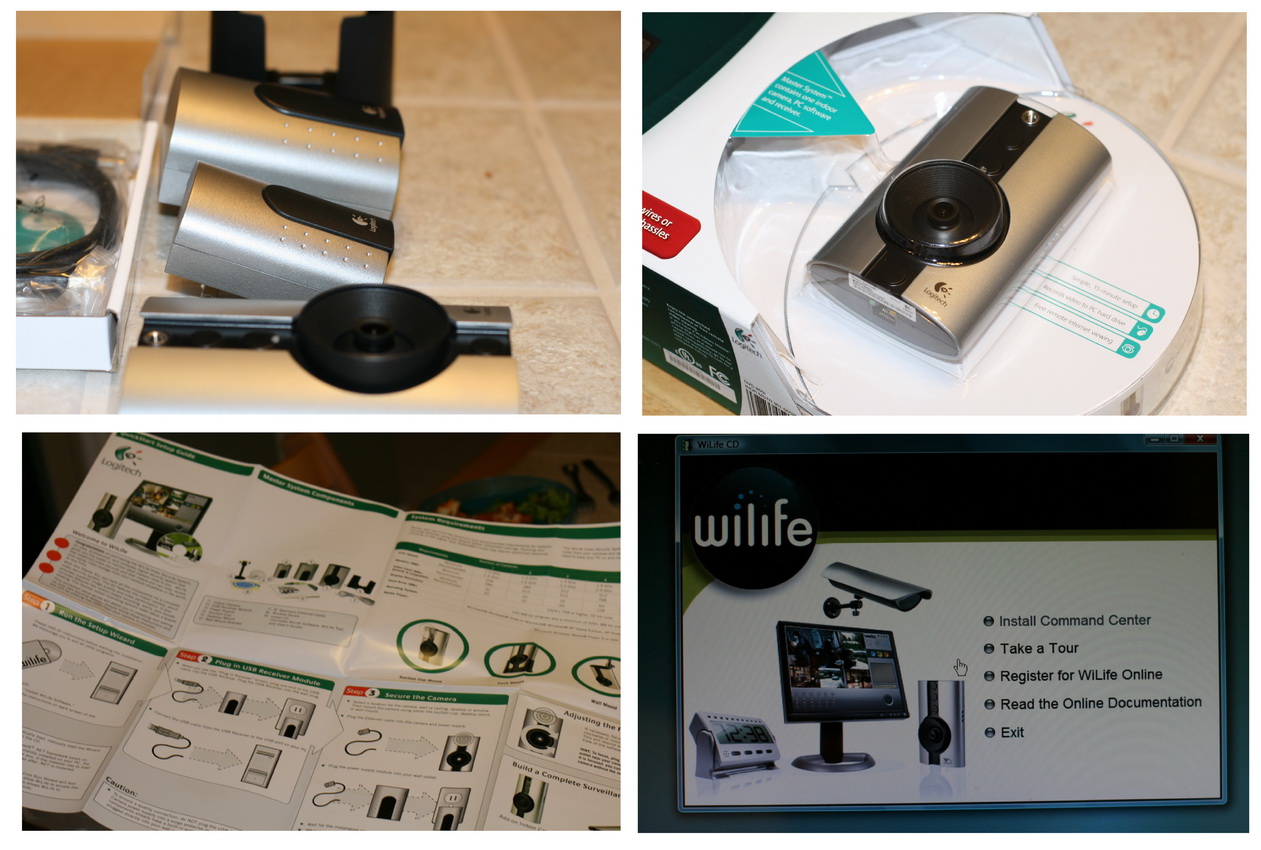
When my husband and I set up the camera, we initially had a little bit of difficulty, but nothing major. It took only minutes to set everything up and we were viewing the downstairs playroom. We decided this would be great for keeping an eye on the boys while they were playing down there. My only word of warning is to point the camera away from an existing window. We had it on the opposite side of the room facing towards the incoming light and the view was a little less than clear. Another thing I noticed was that the camera has blinking lights on it. To some this may not be a big deal and it may just be unavoidable but without the lights it may make the camera much less noticeable. If someone were doing something in my home, I certainly wouldn’t want to draw attention to my security camera.
Overall, the Logitech Indoor Security Camera is a really handy device for basic monitoring within the home. It is easy to install and operate for the average person that doesn’t know much about how this stuff works. I like that it is expandable and offers several options for mounting. The video quality isn’t stellar on the camera but it is good enough for what the average homeowner would use it for. And best of all, it won’t break the bank.
Would you like the chance to win the Logitech Outdoor Security System?

Here’s What You Gotta Do!
Visit Logitech and tell me what specific features you like on their security cameras, and why you would like to win this outdoor security system.
Additional Entries
Tweet about this giveaway, you must have an active twitter account with more than 100 followers
Add me to your twitter
Subscribe to my feed
Blog about this fabulous giveaway
Add my button to your sidebar
Contest starts February 16, 2010 and Ends March 16, 2010
Good Luck!!!!!
Open to US residents only, must claim prize within 48 hours of email notification, the prize is forfeited
Logitech Pro 9000 Webcam *review and giveaway*
November 1, 2009 by Laurie
Filed under Product Reviews
 I have never been fond of using a webcam and have had only a very few of them in the past that I attempted to use. This day and age it seems to be the norm to have a webcam when you purchase your computer. I know my laptop came with one built right in. Putting aside the fact that I hate how I look on camera, it really is a useful thing for us to have. We have a lot of family that likes to keep up to date with the boys and it is really difficult since they all live in another state or country for that matter. With the internet and digital age it has made it so much easier to share photos and video with friends and family that may be far away. We love to use programs like Skype or various messaging software, and almost all have video sharing capability.
 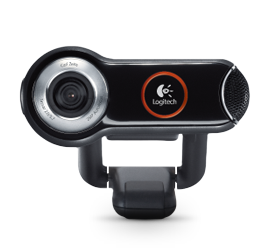 We were given the opportunity to try one of Logitech’s latest and greatest in their wide range of webcams that they offer. The Logitech Quickcam Pro 9000 arrived and I was eager to see how easy this cam would be to set up for the average joe schmo like me who knows little about technical gadgets such as webcams. Don’t get me wrong, I love a new gizmo like the rest of the world, but I also believe that being “user friendly” is a huge plus. If I cannot plug it in and go, then I am likely to throw it out the window. The webcam came with Logitech’s Video calling software which is pretty nifty but as a user of multiple programs that support video, I actually prefer to use my existing programs. The image quality on this particular webcam is probably one of the best I have seen in with a webcam. I typically use my webcam in a fairly dark room and I was amazed at how well the Pro 9000 did under low light circumstance. Setting the cam on top of my laptop monitor was a snap and the adjustable rubber gripped mount works perfectly to keep the cam in place.
Logitech Pro 9000 Features
Carl Zeiss® optics
You’ll enjoy razor-sharp images from a lens designed with the help of one of the pioneers in the industry
Premium autofocus
The innovative design keeps your images stay razor sharp, even in close-ups (up to 10 cm from the camera lens).
2-megapixel sensor
Delivers fluid, true-to-life video and lets you take snapshots at up to 8-megapixels (software enhanced).
RightLight™ 2 technology
Even if you make a video call in dim or poorly backlit settings, the camera will Intelligently adjust to produce the best possible image.
Logitech® Video Effects™
Your video calls get an extra dose of fun with Video Effects. It’s easy to spice things up with neon splashes, fish-eye distortions, and more.
Includes Logitech® Vid™
Technical Specifications
Carl Zeiss® optics with autofocus Native 2-MP HD sensor High-definition video (up to 1600 X 1200*) 720p widescreen mode with recommended system Up to 8-megapixel photos (enhanced from native 2 MP sensor) Microphone with Logitech® RightSound™ technology Up to 30-frames-per-second video Hi-Speed USB 2.0 certified Logitech® webcam software (including Logitech® Video Effects™: fun filters, avatars, video masks, and face accessories)
The software that comes with the Pro 9000 webcam is actually a whole lot of fun. It comes with some pretty funny facial effects that you can play around with. I did discover that you can also get many more video effects offered at Logitech’s site all you have to do is select get more effects. This had me and the boys thoroughly amused for nearly and hour and I was even able to try them out with my messaging software.
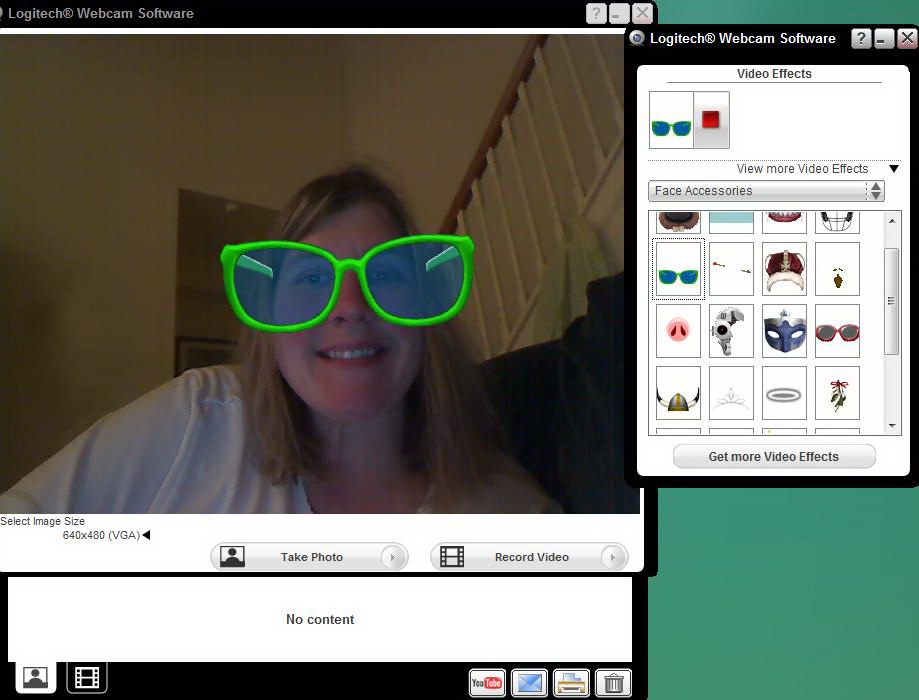
The best thing about the Logitech Pro 9000 is its ability to capture video in high definition without totally frogging down my computer. The quality of the video is superb and its image capture is just as good. This picture you see here was captured in a room with only light from the tv and one overhead can light in my kitchen so I would say, not too bad. Although the only thing I have to compare with is my very old webcam but I am still just as impressed.

The camera is equipped with autofocus which worked surprisingly well. The built in microphone made me sound a little far away, but other than that, this camera is definitely a keeper and well worth the $99 investment. If you are looking for a perfect holiday gift for family members who live on the other side of the planet this is a great idea. It is a good webcam that works right out of the box and is just as fun to use, as it is to give.
*The Logitech Pro 9000 was provided to me for free to review by Logitech. The opinions about this webcam are that of my own**
Would you like to win a Logitech Pro 9000 Quickcam???
Heres what you gotta do
Visit Logitech’s site and tell me what other great product you like and why you would like to win this webcam and come back here and leave me a comment
For Additional Entries
You can tweet once about this giveaway, all subsequent tweets will be disregarded
You can blog about this contest and provide me with the link
Favorite me on technorati
Add my button to your blog
Subscribe to my blog
Contest Starts November 2, 2009 and Ends December 2, 2009
Good Luck!!!